
How to Setup and Activate Your Arabic IPTV Subscription
Choose your device below and follow the setup steps to install the IPTV app, activate your subscription, and start watching Arabic TV channels, movies, series, sports, and VOD content.
Samsung Smart TV
Tizen TV setup guide
LG / WebOS TV
LG Smart TV setup
Android Devices
Android TV, Box, Mobile
Firestick / Fire TV
Amazon device setup
Apple Devices
iPhone, iPad, Apple TV
MAG / STB
Portal setup guide
Roku Device
Roku TV / Roku Stick
Google Chromecast
Chromecast setup
Windows PC
PC and laptop guide
MacBook
Apple notebook setup
VIDAA Smart TV
Hisense / Toshiba TVs
Vizio TV
Manual setup / casting
Samsung Smart TV — Tizen Setup
Install Sky Media Player on Samsung Smart TV
- Press the Home button on your Samsung Smart TV remote.
- Open Samsung Store Apps.
- Search for Sky Media Player.
- Select the app, press Install, then open it.
- Copy the Device ID shown on your TV screen.
- Activate the Device ID from the Sky Media Player activation page.
- Upload your Playlist / M3U URL using your Device ID.
- Go back to the app on your TV and press Refresh.
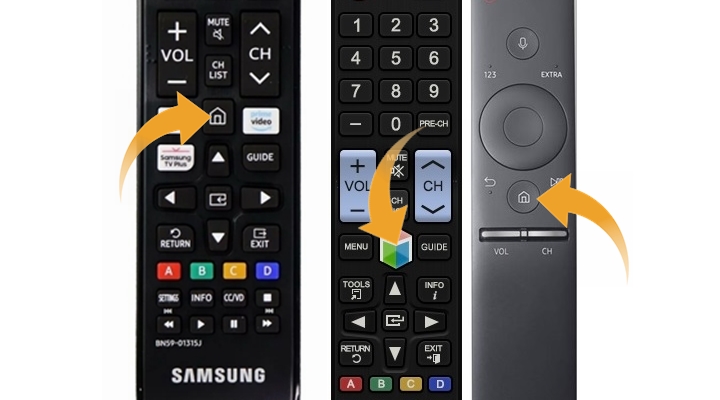 Press Home Button
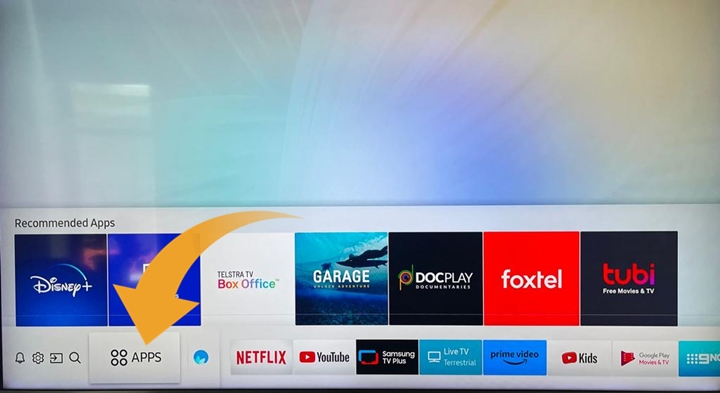 Open Samsung Apps
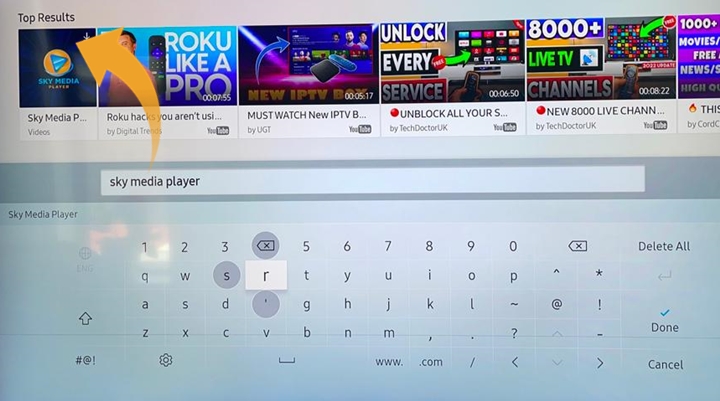 Search Sky Media Player
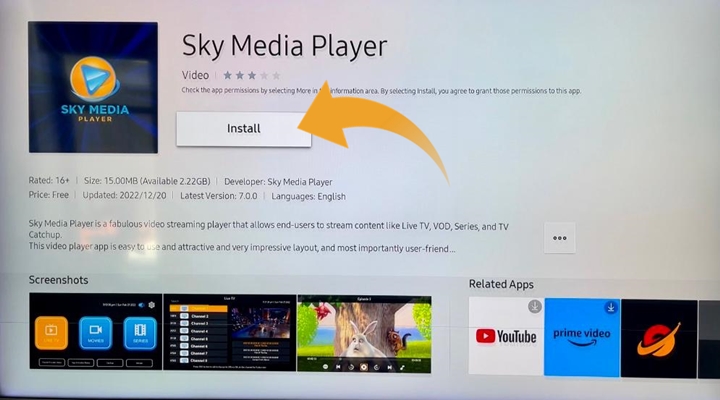 Install App
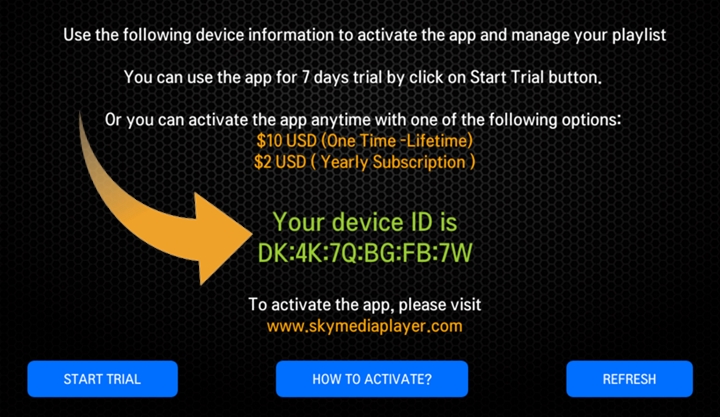 Copy Device ID
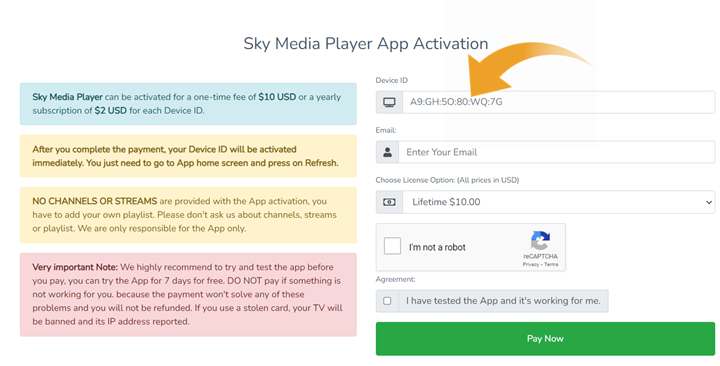 Activate Device
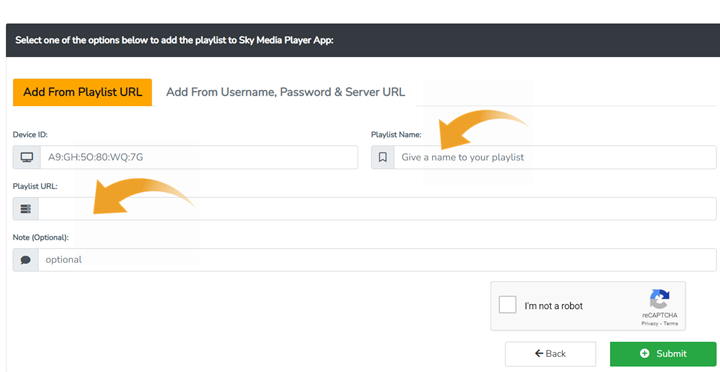 Add Playlist
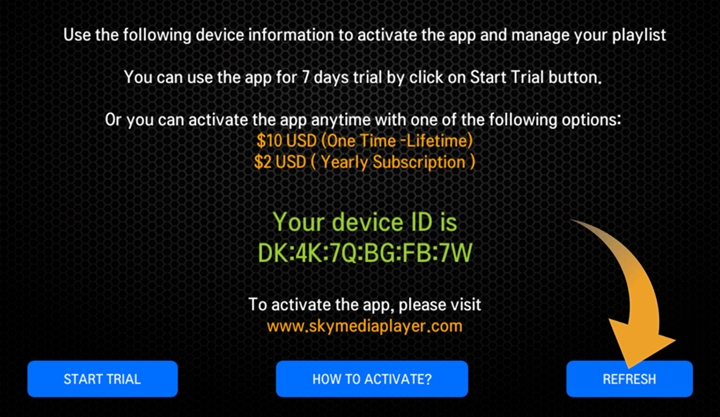 Refresh App
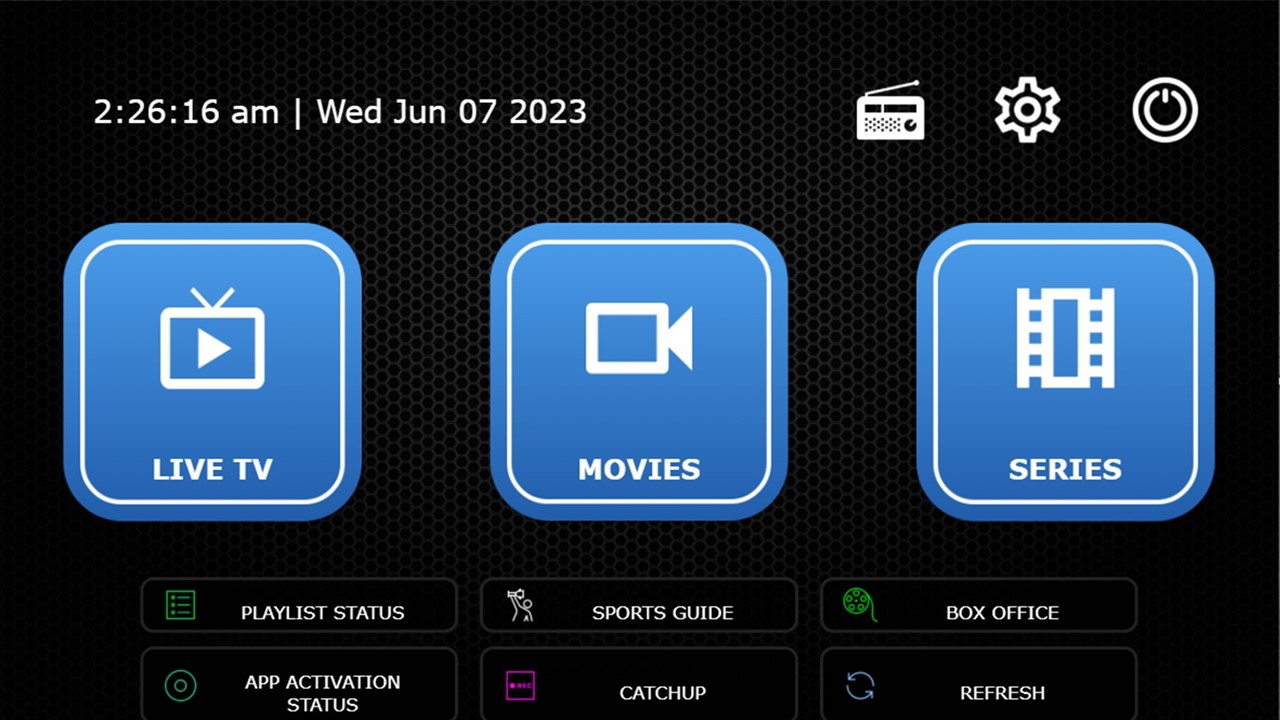 App Home Screen
LG / WebOS Smart TV Setup
Install Sky Media Player on LG Smart TV
- Press the Home button on your LG Smart TV remote.
- Open LG Content Store.
- Search for Sky Media Player.
- Select the app, install it, then open it.
- Copy the Device ID displayed on your TV screen.
- Activate the app using the Sky Media Player activation page.
- Upload your Playlist / M3U URL with your Device ID.
- Return to the app and press Refresh to load your channels.
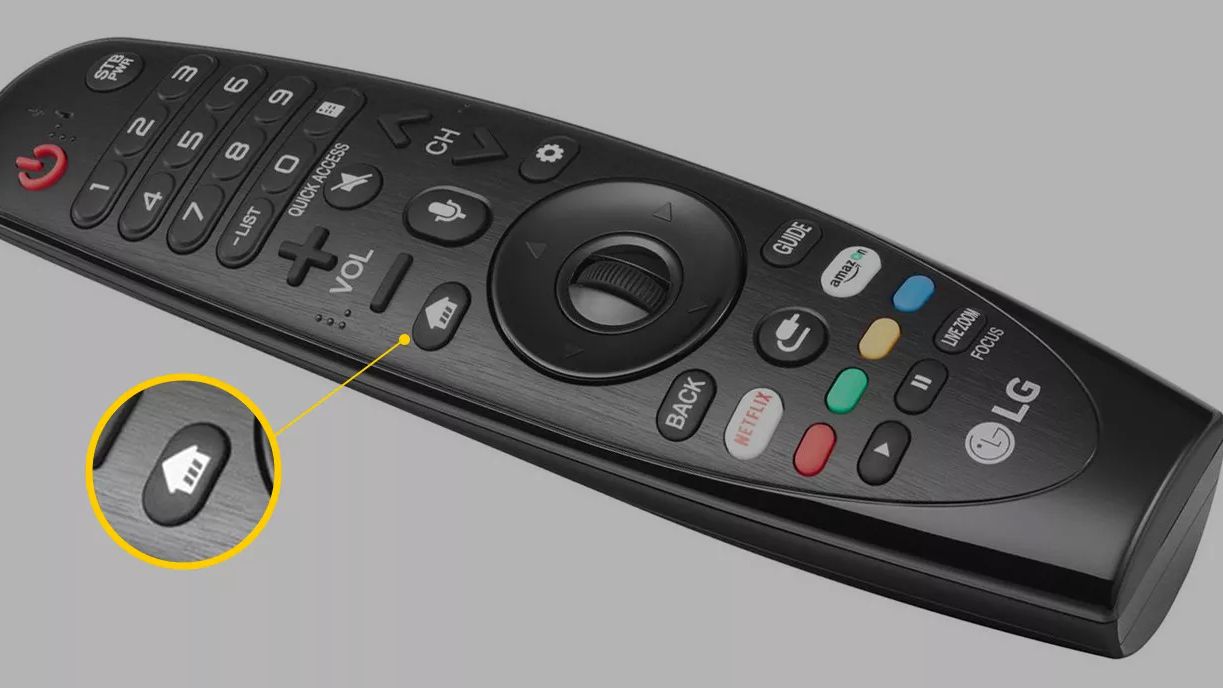 Press Home Button
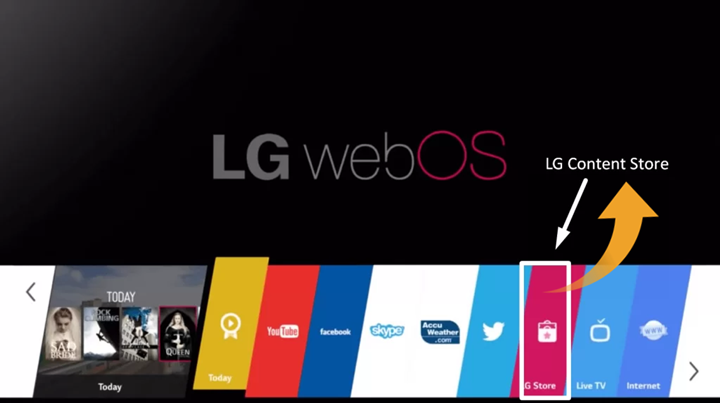 Open LG Content Store
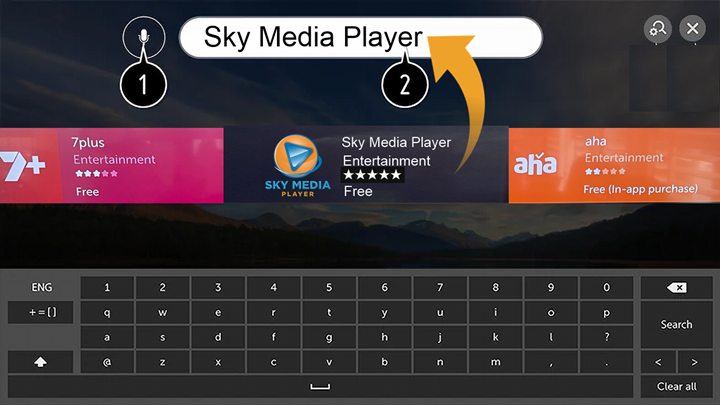 Search Sky Media Player
Copy Device ID
Activate Device
Add Playlist
Search Sky Media Player
Copy Device ID
Activate Device
Add Playlist
Android TV, Android Box, Android Mobile & Android Smart TV
Install All IPTV Player on Android Devices
- Open Google Play Store on your Android TV, Android Box, phone, tablet, or Android Smart TV.
- Search for All IPTV Player.
- Install the app and open it.
- Enter your playlist login details from your email.
 All IPTV Player
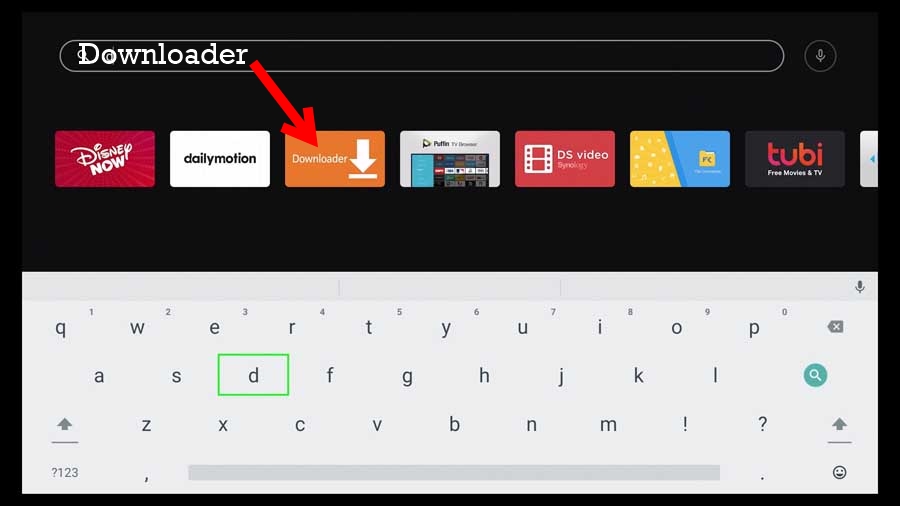 Search Downloader
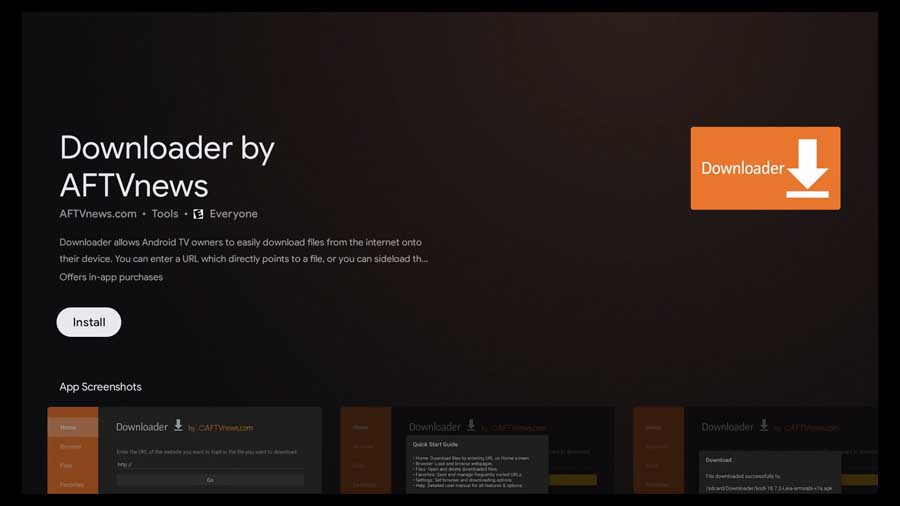 Install Downloader
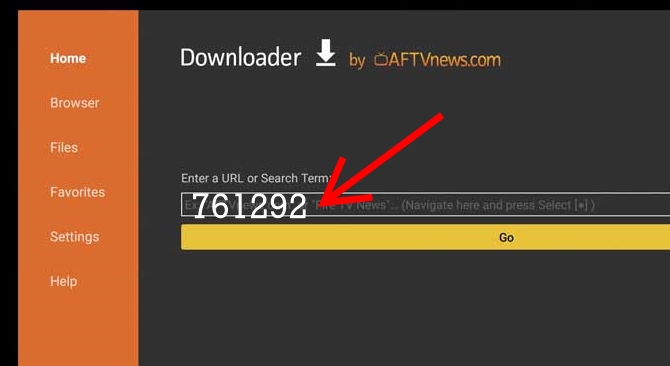 Enter Code 761292
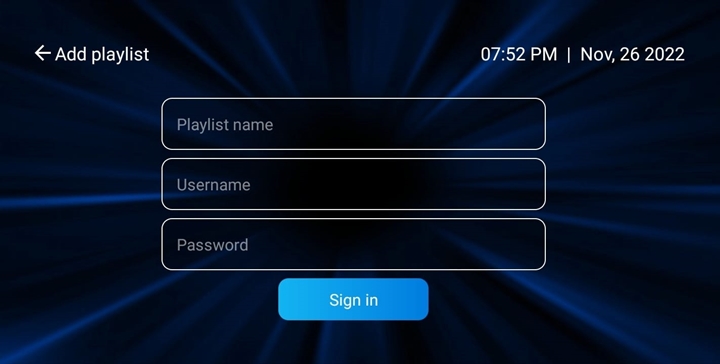 Add Playlist Details
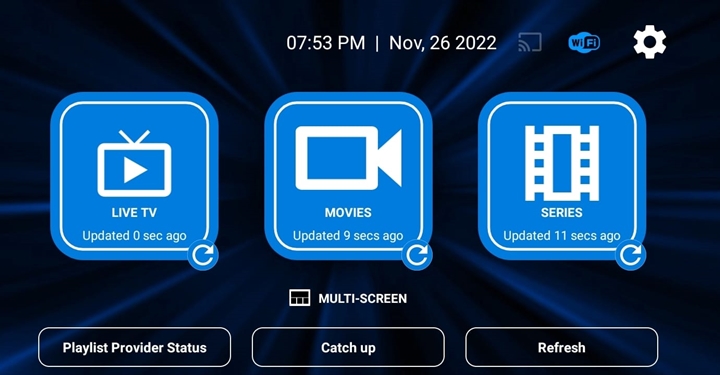 App Home Screen
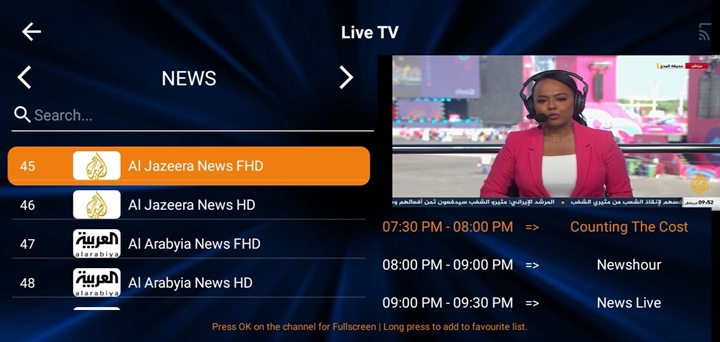 Channels List
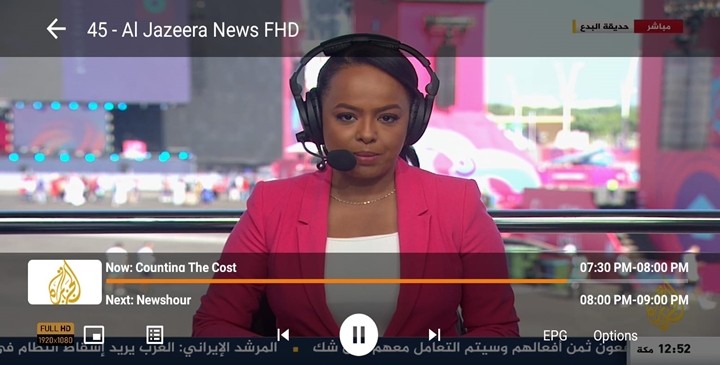 Watch Channels
Manual Installation Method
- Install the Downloader app from Google Play Store.
- Open Downloader and enter this code: 761292.
- Download the APK file and press Install.
- Open the app and enter your IPTV subscription details.
Login Details
- Name: Add any name.
- Username: Check your email.
- Password: Check your email.
Amazon Firestick, Fire TV & Fire HD Setup
Install IPTV App on Amazon Firestick / Fire TV
- Connect your Firestick or Fire TV device to your TV and internet.
- Go to Settings → My Fire TV → Developer Options.
- Turn on ADB Debugging and Apps from Unknown Sources.
- If Developer Options are hidden, go to About and press the first item seven times to unlock them.
- Return to the home screen and install the Downloader app.
- Open Downloader and enter this code: 761292.
- Download and install the IPTV app.
- Open the app and enter your playlist login details.
 All IPTV Player
Search Downloader
Install Downloader
Enter Code 761292
Add Login Details
App Home Screen
All IPTV Player
Search Downloader
Install Downloader
Enter Code 761292
Add Login Details
App Home Screen
Apple Devices — iPhone, iPad, Apple TV & macOS
Setup IPTV on Apple Devices
- Open the Apple App Store.
- Search for All IPTV Player Pro.
- Download and open the app.
- Enter your IPTV subscription login details from your email.
 Open App Store
 All IPTV Player Pro
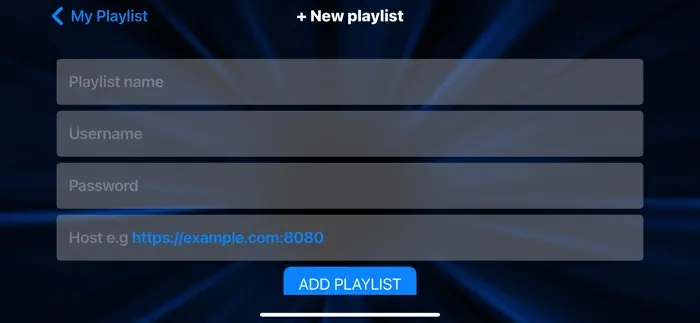 Add Playlist
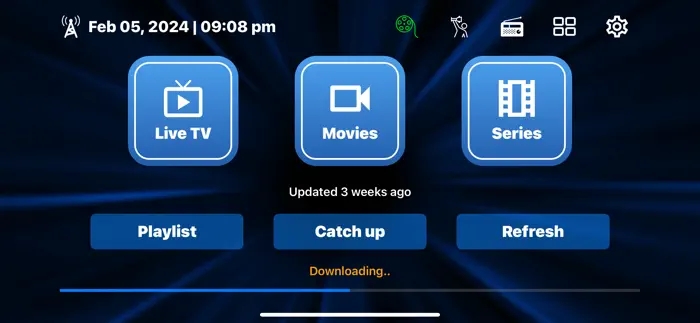 App Home Screen
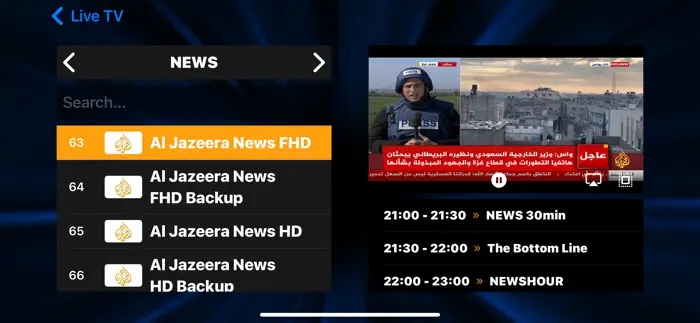 Channels List
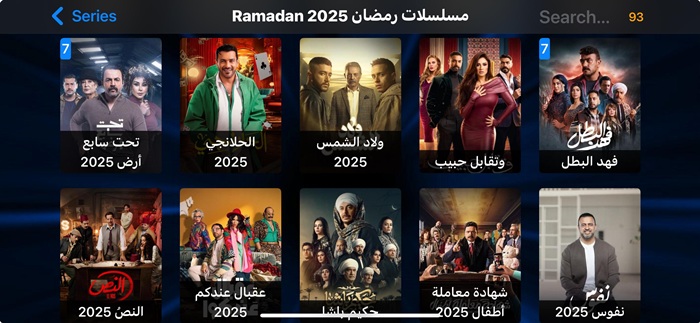 Watch Content
Required Details
- Playlist Name: Use any name.
- Username: Check your email.
- Password: Check your email.
- Host URL: Check your email.
MAG Device / STB App Setup
Setup IPTV on MAG or STB Devices
- When ordering, make sure you provide your MAG device MAC address during checkout.
- After completing the order, open your MAG device settings.
- Go to Settings → System Settings → Servers → Portals.
- Set Portal 1 Name. You can use any name.
- Set Portal 1 URL using the portal URL sent to your email.
- Save everything and reboot the device.
- Wait until the channel list loads on your TV screen.
 Add MAG MAC Address
Roku TV or Roku Stick Setup
Setup IPTV on Roku Devices
- Open the Apps section on your Roku device.
- Search for IPTV.
- Select and install a compatible IPTV Player app if available.
- Open the app and enter your subscription login details.
Google Chromecast Setup
Setup IPTV on Google Chromecast
- If you use the latest Chromecast with built-in Android TV, open Google Play Store.
- Search for All IPTV Player.
- Install the app and open it.
- Enter your playlist details from your email.
For Older Chromecast Models
Older Chromecast devices may require casting from a phone, tablet, or another supported device. Install the IPTV app on your phone and use the cast option when available.
Windows PC or Laptop Setup
Install IPTV App on Windows
- Download the Windows IPTV player application.
- Install the application on your Windows PC or laptop.
- If Windows shows an unknown source warning, choose Run or Install Anyway if you trust the file.
- Open the app and enter your IPTV subscription login details.
Apple Notebook or MacBook Setup
Install IPTV App on MacBook
- Download the MacBook IPTV player application.
- Install it on your MacBook or Apple notebook.
- Allow installation from security settings if macOS blocks apps from unknown sources.
- Open the app and enter your subscription login details from your email.
Alternative App
You may also use a premium compatible app such as Sky IPTV Player when available.
VIDAA Smart TVs — Hisense, Toshiba & More
Install SmartOne IPTV on VIDAA TV
- Open VIDAA Home on your TV.
- Go to My Apps.
- Search for SmartOne IPTV.
- Install the app from VIDAA Store.
- Go to Apps Home and open SmartOne IPTV.
- Follow the app instructions to add your IPTV subscription details.
Supported VIDAA TVs
VIDAA-powered TVs may include Hisense, Toshiba, Loewe, Element, Schneider, Nordmende, AKAI, NIKAI, BRUHM, General Gold, and many other VIDAA models.
Vizio TV Setup
How to Use IPTV on Vizio TV
Vizio TVs may have limited built-in app support. Because of that, IPTV setup may require manual installation or casting from a supported phone.
Method 1 — Manual App Installation
- Install a downloader app if available on your Vizio setup.
- Download the IPTV player app manually.
- Install and open the app.
- Enter your IPTV subscription details.
Method 2 — Cast from Phone
- Install a compatible IPTV app on your phone.
- For Apple phones, use a compatible app such as Sky IPTV Player.
- For Android phones, use a compatible app such as All IPTV Player.
- Use the TV Cast option to cast content to your Vizio TV.
We Can Help You Setup Your IPTV App
Contact Arabic TV support if you need help installing the app, activating your device, adding your playlist, or choosing the best app for your Smart TV.